What is phishing — and how to spot it before you click
Phishing is the oldest trick online and still the most common way accounts get taken over. What the messages look like, the forms they take, and the calm steps if you've already clicked or typed your password.
Short answer
Phishing is a scam message — usually an email or text — that pretends to come from a company or person you trust, to trick you into handing over passwords, card numbers or other personal details, often on a fake login page. Don't use links in unexpected messages; go to the company's site yourself. If you typed a password, change it and turn on two-factor authentication.
Ad-supported — we may earn a commission from links on this page, at no cost to you, and it never changes our assessments. How this works.
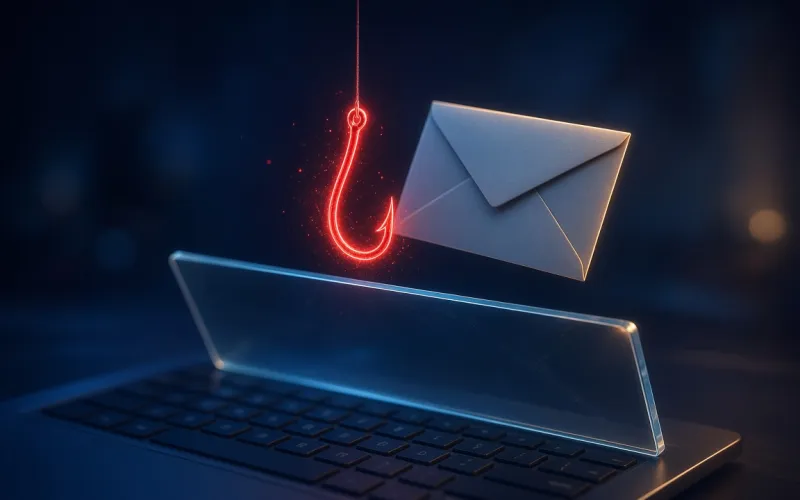
Phishing is a scam message that pretends to come from someone you trust — your bank, a delivery company, a streaming service, your boss — to trick you into giving up personal or financial information. The FTC's definition is simple: scammers use email or text messages to get your passwords, account numbers or Social Security number. Most of the time the goal is a password typed into a fake login page.
What phishing messages look like
The stories change; the pattern doesn't. The FTC lists the usual hooks:
- "We've noticed suspicious activity or log-in attempts on your account."
- A problem with your account or payment information that needs fixing now.
- An invoice or order confirmation for something you didn't buy.
- A government refund, a prize or free coupons waiting to be claimed.
Look for a generic greeting, a deadline or threat ("your account is on hold"), and a link or attachment you're pushed to open. One rule catches a lot: legitimate companies won't email or text you a link to update your payment information, the FTC notes.
The forms phishing takes
- Fake login pages — the link leads to a copy of a real sign-in page that captures whatever you type.
- Spear phishing — a message built for one person, using details about their job, contacts or recent activity, so it feels genuine.
- Smishing — the same trick by text message, often a fake delivery, bank or toll notice.
- QR-code phishing ("quishing") — a code in an email or text, or a sticker placed over a real code, for example on a parking meter, that opens a scam site.
- Business email compromise — a scammer poses as a boss, supplier or real-estate agent and asks for a payment or a change of bank details. The FBI's IC3 counted more than 305,000 such incidents worldwide between October 2013 and December 2023, with about $55.5 billion in exposed losses.
How to avoid phishing
- Don't use the link, phone number or attachment in an unexpected message. Contact the company through a website or number you know is real.
- Read the sender's address and the link's real destination. Watch for misspellings of the real domain or a switched letter.
- Verify any request to change bank details or send money through a second channel, such as a phone number you already have.
- Turn on multi-factor authentication. It makes it harder for scammers to log in even if they get your password.
- Keep your security software and your phone's software updated automatically, and back up your data.
If you clicked a link or typed your password
- If you entered a password, create a new, strong password for that account — and anywhere else you used the same one — and turn on two-factor authentication.
- For email or social media accounts, sign out of all devices, check that the recovery email and phone number are still yours, and delete any email forwarding rules you didn't set up.
- If you opened an attachment or downloaded something, update your security software, run a scan and remove anything it flags.
- If you gave out a card or bank number, contact your card issuer or bank right away. If you shared your Social Security number, go to IdentityTheft.gov.
- If you sent money in a business email scam, call your bank to ask for a recall of the funds, and file a complaint at ic3.gov — the FBI asks for it whatever the amount.
How to report phishing in the US
- Forward phishing emails to the Anti-Phishing Working Group at reportphishing@apwg.org.
- Forward phishing texts to 7726 (SPAM).
- Report it to the FTC at ReportFraud.ftc.gov.
- Tell the company being impersonated. Apple, for example, takes reports at reportphishing@apple.com.
Can antivirus stop phishing?
Partly. Browsers and security suites check links against lists of known phishing and scam sites: Chrome's Safe Browsing and Microsoft Defender SmartScreen in Edge warn about reported sites, and suites add their own warnings — Norton's Safe Web, McAfee's web protection and Scam Detector, TotalAV's WebShield. No list catches every new page, though, so the habits above still do the most work.
The safest link in a surprise message is the one you don't click. Go to the site yourself — the real problem, if there is one, will be waiting there.
Sources · checked Oct 21, 2026
- FTC Consumer Advice — How to recognize and avoid phishing scams
- FTC Consumer Advice — What to do if you were scammed
- FTC Consumer Advice — How to recover your hacked email or social media account
- FTC Consumer Alert — Scammers hide harmful links in QR codes to steal your information
- Microsoft Learn — Phishing trends and techniques
- FBI IC3 — Business email compromise: the $55 billion scam (PSA, September 2024)
- Apple Support — Recognize and avoid phishing messages
Our pick for this situation

Our pick
Norton · Best all-in-one bundle
Want warnings on risky links in your browser and your texts? Norton's Scam Protection includes Safe Web and Safe SMS on every plan.
- Norton 360 plans bundle a VPN and cloud backup
- Covers Windows, Mac, Android and iOS

Our pick
McAfee · Best for families & many devices
Protecting the whole family's inboxes and phones? McAfee's Scam Detector flags scam texts, emails and videos on every plan.
- One subscription across the household's devices
- One account to see every device's protection
PrivacyTechReview Editorial Team
Editorial
Our editorial team researches consumer security products using public vendor documentation and independent laboratory reporting.