
Antivirus review
McAfee, reviewed
A broad, family-oriented security suite whose real strength is cross-platform breadth under one account — easy to live with, provided you match the tier to your devices and read the renewal price, not just the first-year promo.
Ad-supported — we may earn a commission from links on this page, at no cost to you, and it never changes our assessments. How this works.
The verdict
A sensible shortlist pick for households covering many devices across Windows, Mac and mobile. The caution isn't quality — it's buying the right tier and checking what you'll pay at renewal.
Best for
Mixed-OS families, many devices
Think twice if
You only protect a single device
Overview
What McAfee is, and who it's really for
McAfee is one of the longest-running names in consumer security, best known for multi-device subscriptions aimed at households. Its plans generally span Windows, macOS, Android and iOS, with higher tiers adding tools beyond core antivirus.
Below we focus on coverage, platform fit and plan structure. Plan names and prices change with promotions and region, so confirm the current renewal price on McAfee's official pages before you buy.
Core security features
What you actually get
Real-time malware protection
Core on-access scanning and threat blocking — the baseline every tier includes, across supported platforms.
Web & phishing protection
Safe-browsing and scam-link warnings, the defences that matter most for a household's everyday browsing.
Central household management
One account view of which devices are enrolled and protected — the shared visibility built-in tools lack at family scale.
Identity & privacy add-ons
Every US plan includes Secure VPN and identity monitoring; McAfee+ Advanced and Ultimate add credit monitoring, a credit lock and security freeze, identity restoration and identity theft coverage.
Supported platforms
The interface
Living with the app
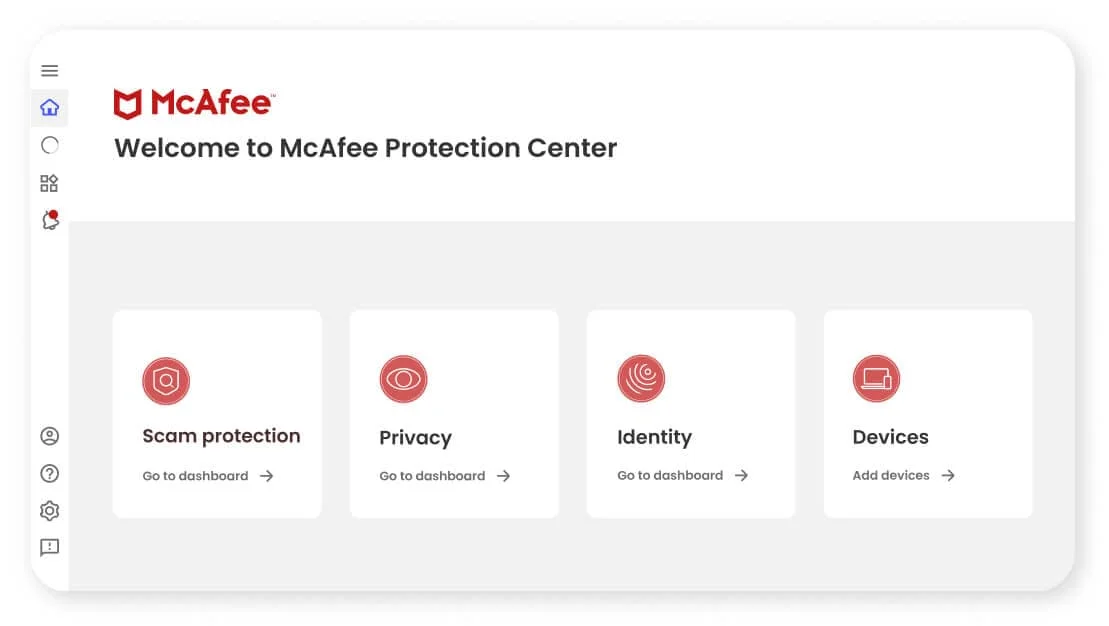
Day to day, most of the household interaction happens in two places: the central dashboard where you see every enrolled device's status, and the mobile app that covers the phones. The desktop experience is the richer of the two; mobile is lighter by platform design.

Strengths & limitations
Strengths
- Broad multi-device coverage across the major desktop and mobile platforms
- Family-oriented plans can be cost-effective for households with many devices
- Established vendor with mature, widely documented consumer apps and support
Limitations
- Higher tiers bundle features single-device users won't need
- Promotional first-term pricing typically rises at renewal
- Exact plan contents vary by region and change over time — verify before buying
Plans & pricing
McAfee's US plans
McAfee's US site sells Essential for five devices and the McAfee+ plans — Premium, Advanced and Ultimate — for unlimited devices. Prices change with promotions, so they aren't quoted here — check the renewal price at McAfee's checkout.
Essential
Five devices.
- Scam Detector for texts, emails and videos
- Antivirus and web protection
- Secure VPN
- Identity monitoring and alerts
McAfee+ Premium
Unlimited devices.
- Everything in Essential
- Personal info and online account scans
- Social Privacy Manager
McAfee+ Advanced and Ultimate
Unlimited devices on Advanced; Ultimate raises the identity theft coverage.
- Personal info removal from sites that sell it
- Credit score, report and monitoring; credit lock and security freeze
- Bank and credit card transaction monitoring
- Identity restoration support and identity theft coverage
Covering a whole household? Our worked example walks through protecting every device in your home with one McAfee plan.
The honest-money bit: read the renewal, not the promo
McAfee's US refund policy: annual subscribers get a full refund if they ask within 30 days of purchase, and an automatic annual renewal is refunded in full if requested within 60 days of the charge. The guarantee doesn't cover monthly subscriptions, there are no prorated refunds, and it applies only to purchases made from McAfee, not from third parties.
Like most suites, McAfee advertises a discounted first term that typically rises at renewal. The number that matters for your budget is year two, on the vendor's own checkout. If it isn't worth the full renewal price, the first-year discount shouldn't change your mind.
McAfee vs Norton
How the two shortlisted suites line up. Full comparison →
| Feature | McAfee | Norton |
|---|---|---|
| Best for | Mixed-OS families, many devices | Buyers who want one all-in-one bundle |
| Platforms Parity | Windows · macOS · Android · iOS | Windows · macOS · Android · iOS |
| Signature angle | Breadth + family-scale management | Bundled VPN + cloud backup emphasis |
| Skip it if | You only protect one device | You won't use the extras |
McAfee
- Best for
- Mixed-OS families, many devices
- Platforms
- Windows · macOS · Android · iOS
- Signature angle
- Breadth + family-scale management
- Skip it if
- You only protect one device
Norton
- Best for
- Buyers who want one all-in-one bundle
- Platforms
- Windows · macOS · Android · iOS
- Signature angle
- Bundled VPN + cloud backup emphasis
- Skip it if
- You won't use the extras
On price: both run heavy first-term promos that rise at renewal and vary by region — compare the renewal price, not just the intro offer.
Installation & onboarding
- 1
Create the account, pick by device count
Enrol with the number of devices you actually want covered — that count, not the tier name, is what to match.
- 2
Install across every device
Add each laptop, phone and tablet from the central account so nothing silently falls outside coverage.
- 3
Confirm each shows protected
Use the household dashboard to verify every device reports as protected — the whole point of a multi-device plan.
Sources · checked Oct 14, 2026
Frequently asked questions
Is McAfee worth it?
Is McAfee safe?
Does McAfee cover Mac and mobile?
Is the family plan worth it?
How much does McAfee cost?
Is McAfee better than Norton?
See current McAfee plans
Before you buy, match the plan to the number of devices you actually protect and check the renewal price — not just the first-term offer.
Opens McAfee's official site