What is ransomware — and how to protect your files from it
Ransomware turns your own files into a hostage. How it gets in, why paying is a bad bet, what to do in the first hour if it hits, and the backup habit that takes most of its power away.
Short answer
Ransomware is malware that locks or encrypts your files and demands payment to restore them — and often threatens to leak stolen data too. It gets in through email attachments, malicious links and unpatched software. The best protection is an offline backup, updates and multi-factor authentication. If you're hit, disconnect the device, don't rely on paying — the FBI advises against it — and report it at ic3.gov.
Ad-supported — we may earn a commission from links on this page, at no cost to you, and it never changes our assessments. How this works.
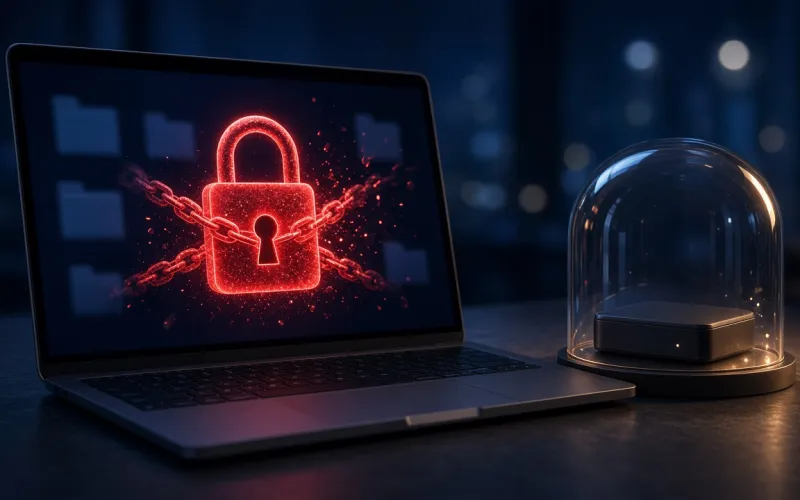
Ransomware is malware that tries to deny you access to your own data, usually by encrypting it with a key only the attacker has, and then demands a ransom to give it back. Many groups now add a second threat: they copy your data before encrypting it and threaten to publish it unless you pay — so-called double extortion.
How ransomware gets in
- Opening an email attachment, clicking an ad or a link, or visiting a website that hides malware, the FBI's IC3 says.
- Software that hasn't been updated: if your network or software is vulnerable, an attacker can slip in and plant malicious code, NIST notes.
- Exposed and poorly secured remote-access services — a common way in, according to the joint #StopRansomware Guide from CISA, the FBI and partners.
- An earlier infection. Many ransomware attacks follow other malware already on the system.
Once it's running, ransomware can spread to other computers and storage devices on the same network. And it isn't only a big-company problem: "Don't assume your business is too small to get hit," NIST warns.
How common is it?
In 2025 the FBI's Internet Crime Complaint Center received 3,611 ransomware complaints reporting losses of more than $32 million. The IC3 stresses that its figures understate the real cost: they leave out lost business, time and recovery work, and many victims don't report a loss amount at all.
How to protect your files
- Keep backups that ransomware can't reach. Follow the 3-2-1 rule — three copies, in at least two places, with at least one offline — and keep backups disconnected from the computers they protect. Attackers look for and encrypt or delete any backup they can reach, and the FBI warns that cloud backups that sync continuously can be locked too.
- Keep your operating system and apps updated, with automatic updates on.
- Turn on multi-factor authentication wherever you can, especially for email.
- Be careful with attachments and links you weren't expecting.
- On Windows, turn on Controlled folder access (Windows Security > Virus & threat protection > Ransomware protection) to stop unauthorized programs from changing files in your important folders.
If you're hit by ransomware
- Disconnect the device: unplug the network cable or turn off Wi-Fi to stop it spreading. Only power it down if you can't disconnect it — shutting down wipes evidence held in memory.
- Don't count on paying. "The FBI does not support paying a ransom," and some victims who paid never received a decryption key. Paying also doesn't stop stolen data from being leaked.
- Report it at ic3.gov, including the ransomware's name, the extension added to your files, the payment address and the amount demanded. You can also report it to the FTC at ReportFraud.ftc.gov.
- Ask whether a free decryption tool exists. Security researchers have found flaws in some ransomware and released tools — law enforcement can tell you.
- Clean the computer before you restore anything, then restore your files from a backup made before the infection.
- Change your passwords from a clean device.
Does antivirus stop ransomware?
Real-time protection blocks a lot of known ransomware before it runs, and Windows' Controlled folder access adds a second lock on your most important folders. Some suites add their own tools: every TotalAV plan includes ransomware protection, and Norton's plans include Cloud Backup on Windows. But no security software catches everything. An offline backup is the only thing that reliably lets you undo an attack.
The ransom only works if the encrypted copy is your only copy. Keep one backup unplugged, and ransomware loses most of its leverage.
Sources · checked Oct 21, 2026
- NIST Small Business Cybersecurity Corner — Glossary
- NIST Small Business Cybersecurity Corner — Ransomware
- FBI IC3 — Ransomware
- FBI IC3 — 2025 Internet Crime Report (PDF)
- FBI IC3 — Ransomware brochure (PDF)
- CISA, FBI, NSA and MS-ISAC — #StopRansomware Guide, October 2023 (PDF)
- Microsoft Support — Protect your PC from ransomware
- Microsoft Learn — Prevent malware infection
- FTC Consumer Advice — Malware: how to protect against, detect, and remove it
Our pick for this situation

Our pick
TotalAV · Best simple, all-in-one setup
Want ransomware protection in a simple app? Every TotalAV plan includes it alongside real-time antivirus.
- One uncluttered app on every platform
- Tune-up tools in every plan; VPN in higher tiers

Our pick
Norton · Best all-in-one bundle
Want an extra copy of your files on Windows? Norton's plans include Cloud Backup, from 2 GB on the entry plans upward.
- Norton 360 plans bundle a VPN and cloud backup
- Covers Windows, Mac, Android and iOS
PrivacyTechReview Editorial Team
Editorial
Our editorial team researches consumer security products using public vendor documentation and independent laboratory reporting.