One household, eight devices, one weak link
The average family now runs more connected devices than people. How to cover Windows, Mac, Android and iOS with one plan — McAfee as a worked example.

Ad-supported — we may earn a commission from links on this page, at no cost to you, and it never changes our assessments. How this works.
Count the screens in your home for a moment. Two laptops, three or four phones, a tablet the kids share, maybe a smart TV that quietly browses the web on its own. A decade ago a household had one family computer to defend. Today the typical home runs more connected devices than it has people — and they span every operating system at once. That shift, more than any single new virus, is what makes consumer security genuinely harder in 2026.
This article is openly commercial: further down we use McAfee as a worked example of a one-subscription, whole-household approach, and if you buy through our links we may earn a commission. What we will not do is invent a crisis, flash a countdown, or quote a price we have not verified. The goal is to help you decide whether a single multi-device plan fits your home — and to be honest about where it does not.
The short version
- The hard problem in a modern home is coverage across many devices and several operating systems at once — not any single threat.
- Built-in OS protection is a real baseline, but it stops at each device's edge and rarely gives one family a shared view.
- A multi-device suite like McAfee is designed around that gap: one subscription spanning Windows, macOS, Android and iOS.
- Match the plan to your actual device count, and always check the renewal price — not just the first-year promotion.
The shape of the problem
Not scare statistics — just the structure of a modern household, which is what makes one-device thinking fall short.
- 4
- operating systems a typical family juggles at once — Windows, macOS, Android and iOS.
- 1
- subscription a multi-device suite uses to span all of them under one account.
- Year 2
- the renewal price that decides real value — not the discounted first term.
The problem
The real problem isn't one virus — it's the gaps between devices
Security marketing loves a villain: a dramatic piece of malware, a percentage of threats blocked, a glowing shield. But for most households the risk is quieter and more structural. It lives in the seams between devices — the phone that never got the security update, the laptop a teenager uses for both homework and sketchy game downloads, the tablet logged into the family's email and nobody's antivirus.
Each device may be individually defensible. The problem is that no one is looking at all of them together. A phishing link opened on a phone can harvest a password that unlocks an account used on the family laptop. Coverage that is strong on one platform and absent on another is only as good as its weakest link.
“Coverage that is strong on one platform and absent on another is only as good as its weakest link.”
What we are deliberately NOT claiming
We can't see your devices, and we won't pretend to. This page contains no scan results, no "threats detected", and no personalized risk score. Anything that looks like a measurement of your specific machine on a site like this should be treated as a red flag — on ours or anyone else's.
The baseline
Why built-in protection may not be the whole answer for a family
Modern operating systems ship with genuinely capable security. On a single, well-maintained machine, the built-in tools cover the basics competently, and for many individuals that is enough. We say this plainly because a lot of antivirus marketing pretends otherwise.
Where built-in protection gets awkward is at household scale. It is tied to each device and each platform, managed separately, with no single place for a parent to see whether everyone is actually covered. It also tends to stop at the malware question, leaving adjacent worries — identity monitoring, a VPN on public Wi-Fi, protection that follows a child's phone — to a patchwork of other apps. A multi-device suite's pitch is not that the built-in tools are useless; it's that one managed subscription across every device is easier to keep honest.
Where it fits
Where McAfee fits
McAfee is one of the longest-running names in consumer security, and its product line is built around exactly this household-scale problem: multi-device subscriptions that span Windows, macOS, Android and iOS under one account. That cross-platform breadth — rather than any single headline feature — is the reason it keeps showing up on shortlists for families.
Below is the shape of what McAfee offers at a category level. Exact plan names, device counts and prices change with region and promotions, so confirm them on McAfee's official pages before you buy.

What a multi-device suite like this typically brings together
Exact inclusions vary by plan and platform — confirm the specifics for your devices before buying.
Cross-platform coverage
One subscription that installs across Windows, macOS, Android and iOS, so a mixed household isn't stitching together separate products per device.
Central household management
A single account view of which devices are protected — the thing built-in tools make hard to see at family scale.
Identity & web protection
On McAfee's US plans, web protection, a VPN and identity monitoring come with every plan; credit monitoring, a credit lock and identity theft coverage start with McAfee+ Advanced.
On-the-go protection
Mobile apps extend coverage to the phones that now carry most of a family's logins — the devices most likely to be used on untrusted networks.
Product experience
What using it actually looks like
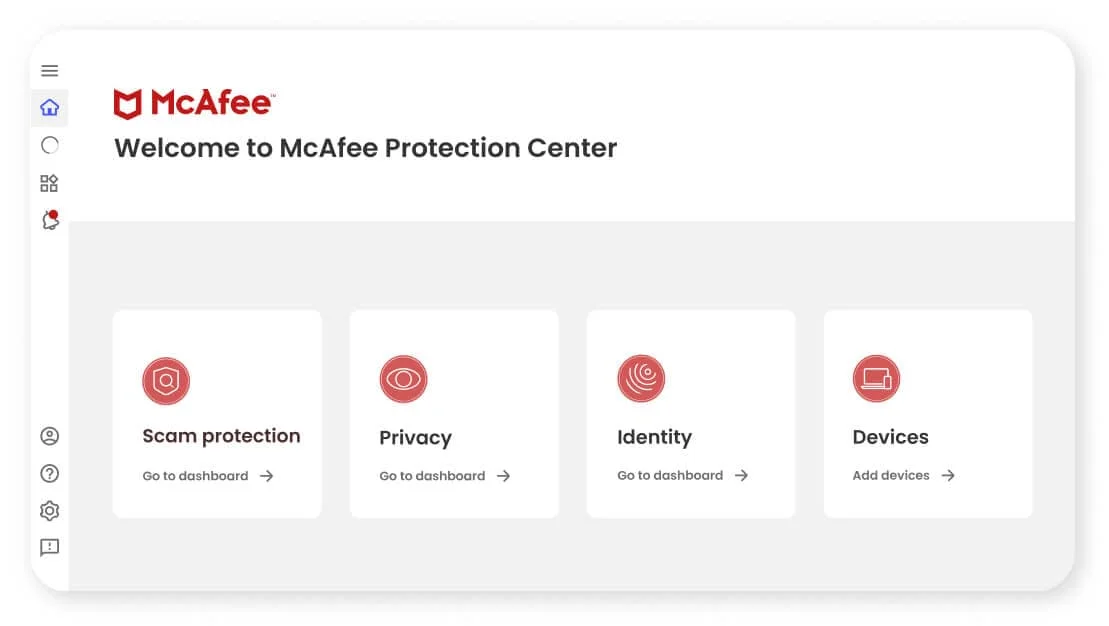
A quick tour of the surfaces that matter for a household: the central dashboard you'll manage everyone from, and the mobile app that covers the phones.

-
One dashboard for the whole house
See every enrolled laptop, phone and tablet and whether each is actually protected — the shared view built-in tools don't give you.
-
Protection that travels
The mobile apps extend web and identity protection to the devices most likely to be on untrusted Wi-Fi.
-
Guided setup
Enrolment walks a non-technical family member through adding each device, so coverage doesn't silently stop at the first laptop.
Three households where this actually makes sense
Realistic situations, not testimonials. We're describing fit, not quoting customers.
The mixed-OS family
One parent on a Windows laptop, another on a Mac, kids on Android and an iPad. A single cross-platform plan removes the per-device guesswork of 'is this one covered?'.
The parent managing kids' phones
When the devices you worry about most aren't yours, central management and mobile coverage matter more than raw desktop scanning speed.
The household consolidating subscriptions
Three separate security apps, a standalone VPN and an identity-monitoring trial can cost more together than one suite that bundles the same ground — if the bundle genuinely matches what you use.
The honest trade-offs
Strengths
- Broad multi-device coverage across the major desktop and mobile platforms under one account.
- Family-oriented plans can work out cost-effective for households protecting many devices.
- Established vendor with mature, widely documented consumer apps and support.
Limitations
- Higher tiers bundle features a single-device user simply won't need.
- Promotional first-term pricing typically rises at renewal — budget for year two, not year one.
- Exact plan contents vary by region and change over time, so you must verify specifics before buying.
McAfee vs Norton, at a glance
The two suites households most often weigh against each other. We foreground what actually separates them — not two identical columns of prices we won't guess.
| Feature | McAfee | Norton |
|---|---|---|
| Best for | Mixed-OS families with many devices | Buyers who want one all-in-one bundle |
| Platforms Parity — both cover all four | Windows · macOS · Android · iOS | Windows · macOS · Android · iOS |
| Signature angle | Breadth + family-scale management | Bundled extras (VPN, cloud backup) emphasis |
| Central management | One household dashboard | One account dashboard |
| Skip it if | You only protect a single device | You won't use the bundled extras |
McAfee
- Best for
- Mixed-OS families with many devices
- Platforms
- Windows · macOS · Android · iOS
- Signature angle
- Breadth + family-scale management
- Central management
- One household dashboard
- Skip it if
- You only protect a single device
Norton
- Best for
- Buyers who want one all-in-one bundle
- Platforms
- Windows · macOS · Android · iOS
- Signature angle
- Bundled extras (VPN, cloud backup) emphasis
- Central management
- One account dashboard
- Skip it if
- You won't use the bundled extras
On price: suites run heavy first-term promotions that rise at renewal, and the figure changes by region. Compare the renewal price, not just the intro offer.
How to read lab results before you trust a number
Independent testing labs publish protection, performance and false-positive results for the mainstream suites, and they are the closest thing this industry has to a neutral referee. We treat a single strong month as weaker evidence than consistent results across several cycles — and we only republish a specific score once we've captured the exact test, product version and date from the lab itself.
The same rule governs prices. We quote a first-term or renewal figure only after reading it on the vendor's own checkout, with the date we checked. Until then we point you at the live price rather than a number that may already be wrong.
Ready to look at plans for your devices?
Before you buy, match the plan to the number of devices in your home and check the renewal price — not just the first-term offer.
Opens McAfee's official site
How to choose and set it up without overpaying
A short, honest path — most of the work is counting devices and reading the renewal line.
- 1
Count every device first
List the laptops, phones and tablets you actually want covered, and which OS each runs. This number — not the marketing tier name — decides which plan fits.
- 2
Read the renewal price, not just the intro
Find the year-two renewal on the vendor's own checkout before you commit. If it's not worth it at full price, it's not worth it.
- 3
Install across the household, then verify coverage
Use the central account to confirm every device shows as protected. The whole point of a multi-device plan is that nothing silently falls through.
- 4
Separate antivirus from identity protection
They solve different problems. Don't assume one includes the other — decide whether you actually need both.